# Create Trading Pair

### Why Uniswap?

AlliMeta and Uniswap are both built on the Ethereum network. Uniswap is a decentralized exchange (DEX) that offers cryptocurrency trading, liquidity mining, and other services. Users can create trading pairs for tokens and provide liquidity to the pool to facilitate trades without the need for intermediaries.

### Create a pool

Before integrating token finance, you need to hold a certain amount of AlliMeta platform token, Alliance Token (ALIT). The amount of ALIT you obtain depends on the funds you deposit into a pool, such as Uniswap, and the token pool ratio should be 1:1.

#### Before creating a pair, you need to:

* Install [MetaMask](https://metamask.io/download/) in your browser
* Launch your ECR-20 tokens on the Ethereum network
* Send tokens to your MetaMask wallet address

**Step 1:** Go to [Uniswap](https://app.uniswap.org/#/pools/v2) (v2)&#x20;

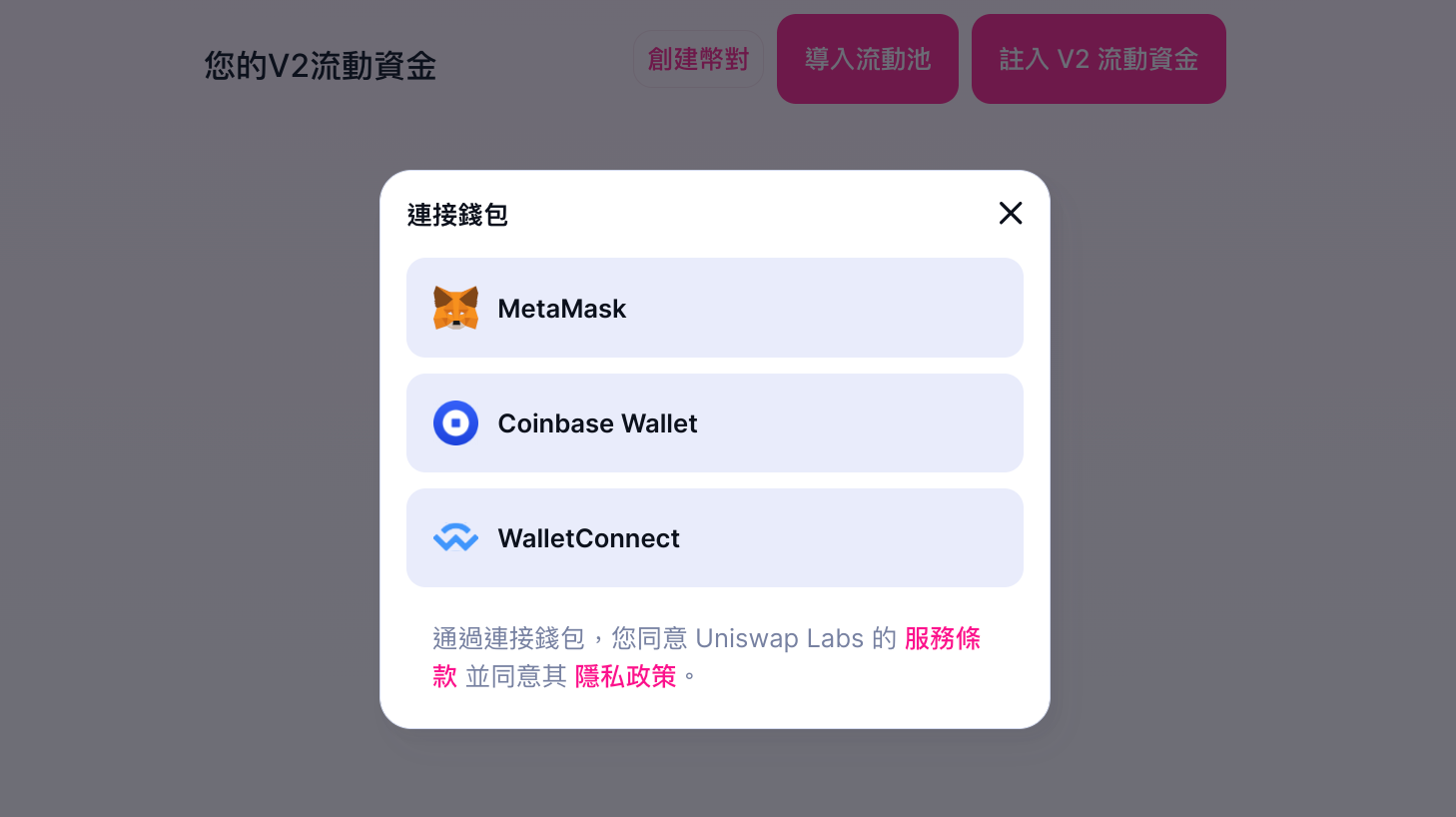
**Step 2:** Connect your MetaMask wallet&#x20;

<figure><img src="https://3390105127-files.gitbook.io/~/files/v0/b/gitbook-x-prod.appspot.com/o/spaces%2FZVeXNinG07Q3o5fO739p%2Fuploads%2F9nxUn1Pb6GIB89v7RfjP%2Fimage.png?alt=media&#x26;token=094c62ba-643f-48ac-8e0f-99e5e2a3a5b3" alt=""><figcaption><p>Connect your wallet</p></figcaption></figure>

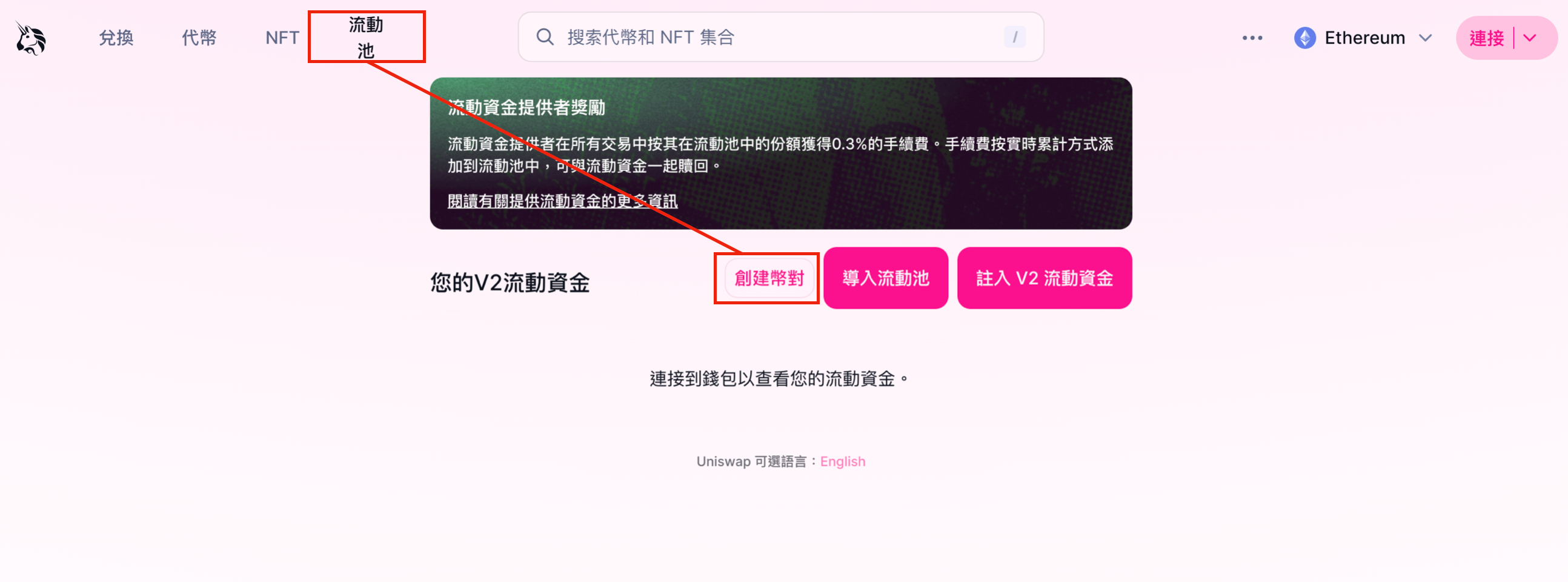
**Step 3:** Select "Pool" from the top left corner of the screen, and click "Create a Pair."&#x20;

<figure><img src="https://3390105127-files.gitbook.io/~/files/v0/b/gitbook-x-prod.appspot.com/o/spaces%2FZVeXNinG07Q3o5fO739p%2Fuploads%2FCabEsWGsuymwqYFPKbgy%2Fimage.png?alt=media&#x26;token=131e3e45-d5aa-44d9-954e-8b39f1681cb6" alt=""><figcaption><p>Create trading pair</p></figcaption></figure>

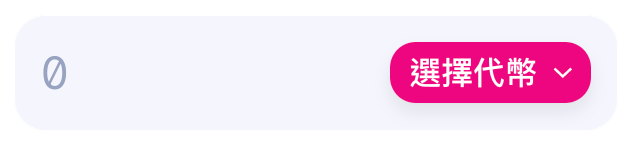
**Step 4:** Click on the "Select a Token" option.&#x20;

<figure><img src="https://3390105127-files.gitbook.io/~/files/v0/b/gitbook-x-prod.appspot.com/o/spaces%2FZVeXNinG07Q3o5fO739p%2Fuploads%2F85DI77VV8TIWTjVwJ32s%2Fimage.png?alt=media&#x26;token=9c8f6c40-4c49-4aa2-a900-e84f2a39e1f5" alt=""><figcaption></figcaption></figure>

**Step 5:** Enter your token address in the "Search by name or address" field, and choose your token from the dropdown menu.&#x20;

<figure><img src="https://3390105127-files.gitbook.io/~/files/v0/b/gitbook-x-prod.appspot.com/o/spaces%2FZVeXNinG07Q3o5fO739p%2Fuploads%2Fq2xhCkUmMa67DQMuQkzr%2Fimage.png?alt=media&#x26;token=1b8c77bc-2519-4392-bbf8-dd39152a6bc9" alt=""><figcaption><p>Select token</p></figcaption></figure>

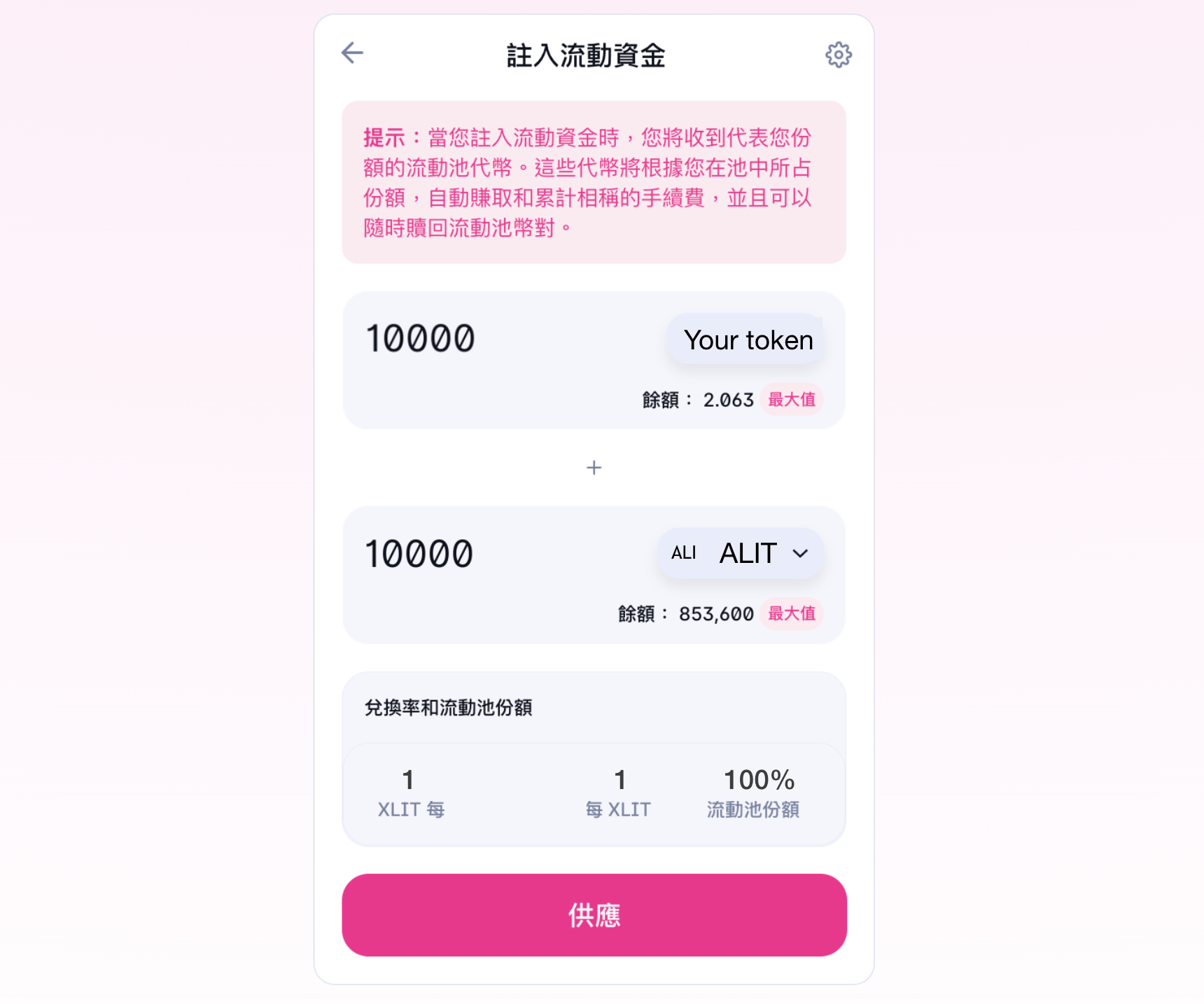
**Step 6:** Click on "Supply."&#x20;

<figure><img src="https://3390105127-files.gitbook.io/~/files/v0/b/gitbook-x-prod.appspot.com/o/spaces%2FZVeXNinG07Q3o5fO739p%2Fuploads%2FT8Yje1VNGb6PBUdCpXyl%2Fimage.png?alt=media&#x26;token=9c865007-c79d-40d0-adeb-b40aea5aed74" alt=""><figcaption><p>Tokens &#x26; supply</p></figcaption></figure>

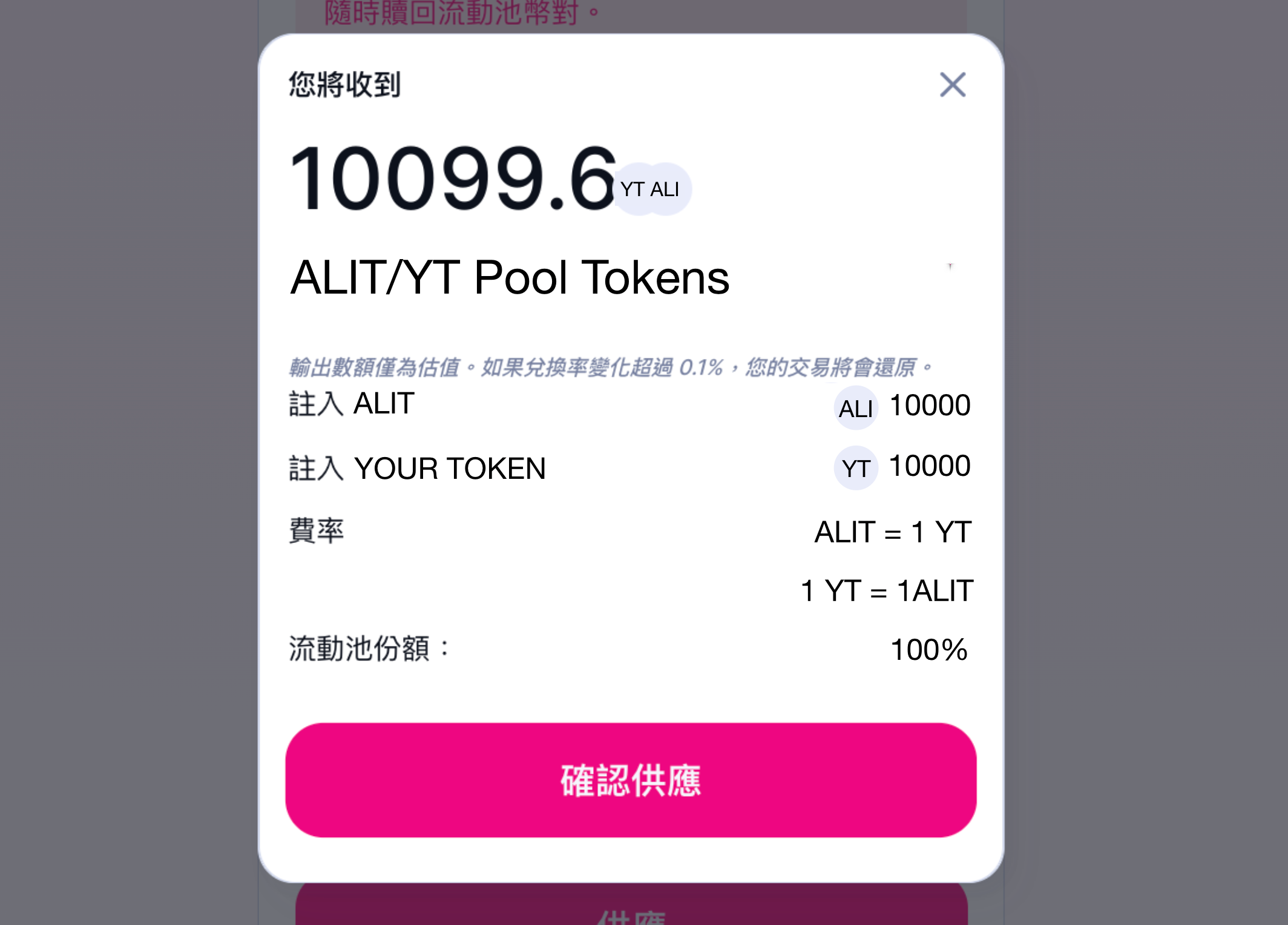
**Step 7:** A popup window will appear, click on "Confirm Supply."&#x20;

<figure><img src="https://3390105127-files.gitbook.io/~/files/v0/b/gitbook-x-prod.appspot.com/o/spaces%2FZVeXNinG07Q3o5fO739p%2Fuploads%2Fc86nUSQxudfbw02xU412%2Fimage.png?alt=media&#x26;token=bd3d1f70-0812-4369-93c6-e0e618a55bae" alt=""><figcaption><p>Confirm liquidity</p></figcaption></figure>

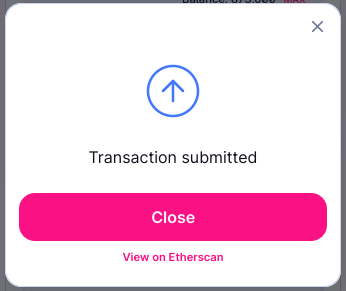
**Step 8:** After interacting with the contract, the creation of the trading pair will be completed, tab "Close."

<figure><img src="https://3390105127-files.gitbook.io/~/files/v0/b/gitbook-x-prod.appspot.com/o/spaces%2FZVeXNinG07Q3o5fO739p%2Fuploads%2FEsGv4RaRr3F4afkAlUPC%2Fimage.png?alt=media&#x26;token=9e1a484b-2b43-460f-a480-3b5777503939" alt=""><figcaption></figcaption></figure>

{% hint style="info" %}
The token price will be determined by the amount of tokens you deposit. For example, if you deposit 1 ETH and 1 of your tokens, the initial price of your token will be equal to 1 ETH.
{% endhint %}